Free Online Ordering Numbers Games - Interactive Math Activities
Our free educational games are used by more than 20,000 teachers & homeschooling parents!
Number Range: 1 up to 100
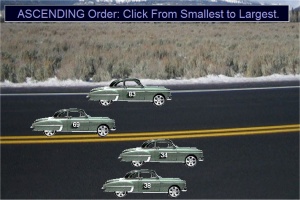
Ordering Oldsmobile Cars
www.free-training-tutorial.com
Four Oldsmobile cars will be driving back and forth on the screen. Every car has a number on it.
Click the cars in ascending order (from least to greatest) or descending (from greatest to least), depending the sentence that appears on the top of the screen.
Number Range: Up to 100
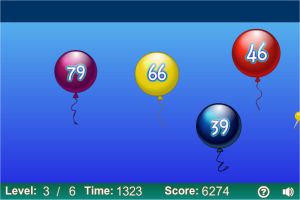
Balloon Pop Ordering
www.sheppardsoftware.com
Click the "Start" button to begin.
Your job is to click and pop the balloons in ascending order (smallest to largest number value).
The game begins with two balloons and in each level one more balloon is added, thus making it harder.
Try to pass all 6 levels!
Custom Range: You can set it between 1 and 9,999
Caterpillar Slider
www.ictgames.com
On the first page set the number range by sliding the green circles (the default range is 1-10). Then click the GO button.
Numbered leaves will appear under a branch.
Drag them and release them in the green circles of the branch in ascending order (from left to right)
When you finish, click the caterpillar to get an animated feedback.
Number Range: Between 10 to 100
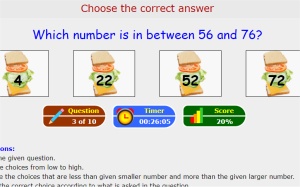
Number Sandwich
ezschools.com
In this game, you will get a sentence in the following form:
Which number is between 39 and 54?
Four numbered sandwiches will appear. Click the sandwich with the correct answer, to proceed to the next question.
Number Range: 1 up to 99
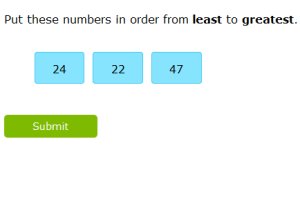
Ordering Numbered Tiles
www.ixl.com
This is a simple, straightforward interactive activity.
Three tiles with numbers will appear, along with a sentence asking you to put them in order from "least to greatest" or "greatest to least".
Arrange the tiles by dragging them to the right or left. When finished, click the green "Submit" button.
You will get immediate feedback, telling you whether you were correct, or more detailed feedback in case you were wrong.
Number Range: 1 up to 20
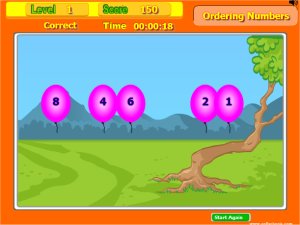
Ordering Pink Balloons
www.softschools.com
Pink balloons will be raising over the beautiful green plains.
Click them in ascending order, to pop them before they reach the top of the screen.
With every successful series, a new group will appear.
Custom Range: Up to 5, 10, 20 or 100
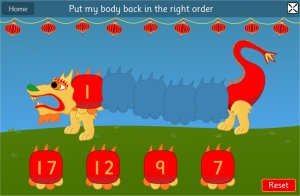
Chinese Dragon Ordering Numbers
www.topmarks.co.uk
Start by choosing the "Ordering" activity. Next, choose the number range to practice.
In this game a dragon will appear, whose parts are missing. Every part is numbered.
Your job is to complete the dragon by dragging and putting back his missing parts in ascending order.
Number Range: 1 to 99
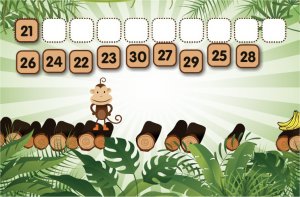
Monkey Bridge Numerical Ordering
www.abcya.com
Parts of the bridge have collapsed, and the hungry monkey can't reach his bananas.
Help him fix the bridge, one part at a time, by rearranging the numbers in ascending order.
You can choose between two difficulty levels: In one you get the numbers spoken out load and immediate feedback. The second, which is harder, lacks these two assisting features.
Each of the selections in this block of learning activities revolves around putting numbers in their proper order.
Kids will be presented with a group of numbers and can then arrange them in ascending or descending order as the lesson prescribes.
Each game gives students the opportunity to develop their math skills in a fun online environment that they are familiar with.
They can put to use the concepts they have learned in the classroom and immediately see the results of their progress, as the games will let them know if they are right or wrong each time, and let them choose from other games if they happen to find themselves struggling with a particular one.
Perfect for kids in 1st, 2nd and 3rd grades. The activities relate to a variety of number ranges, starting from 1-10 up to 9,999.